


Boss
The whole company at a glance.
When your team isn't beside you, all you can do is ask and trust. Banshao shows you at any time who is working, on what and for how long, so payroll has a basis.
09:00
No training and no setup. Send an invitation, your employee installs and clicks Clock in, and you have data today.
02:14:08
In at 09:00
Clock out Off12:18
You'll be reminded when time is up. The timer resumes only when you click Resume
Resume12:30
A break is a break: no hours, no screenshots. The timer continues only when they click back in. Everyone's work is clear, so the hard workers stop losing out.
15:00
Asking feels awkward, not asking feels risky. Click a name to see their working screen today, and tell at a glance whether things are moving.
18:00
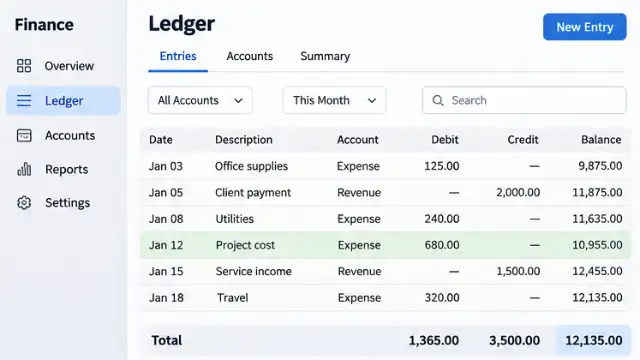
No end-of-month spreadsheet checks or arguments over missing hours. Everyone's hours are clear, export them for payroll, and there's a record if anyone disagrees.
20:00
The whole company at a glance.
Handle day-to-day management so everything doesn't come to you.
Run their own teams and can't see the others.
Can see their own records, so nothing is a mystery.
21:00
| Banshao | Popular international tools | |
|---|---|---|
| Pricing | $2.99 per person per month | About $5 to $20 per person per month |
| Plans | One price, every feature | Tiered plans, with the good features in the expensive ones |
| Screenshots | Not charged by the screenshot | Cheaper plans often cap the number |
| Minimum team size | No minimum | Some tools require a minimum number of seats |
| Payments | USDT, no card needed | Usually an international credit card |
Based on public third-party sources, November 2026, for reference only. See each product's website for exact details.
22:00
Great for support, operations and cross-timezone teams. A night shift counts as one shift, not split in two at midnight, so pay isn't miscalculated.
next day 01:00
For example, an employee paid $600 a month costs about $3.40 an hour. Waste one hour less a month and that seat's $2.99 has paid for itself.
Know the progress without chasing anyone, and keep your time for what matters.
When you bill by the hour, every hour has evidence you can show your client.
Multiple shifts, nights and time zones, with hours that still add up.
next day 06:00
14 days free, any team size, no card. If it isn't right, leave any time.
AI assistant, it may make mistakes.
Hi! I'm Banshao's AI assistant. Ask me about the product, pricing or the free trial.
Or contact us directly: Telegram @yuankui666 · [email protected]